
The selected shape is inspired by a traditional Japanese design element known as Kasumi-mon (霞紋), which translates to a mist or haze motif.
Here is a simple way to create this graphic style in Adobe Illustrator:

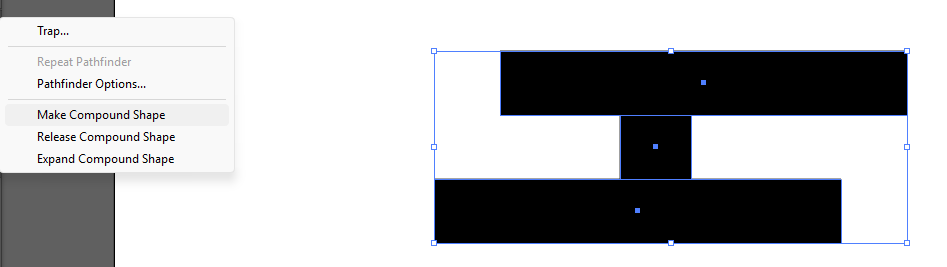
Step 1: Create a rectangle shape. Select the shapes, group them, and choose Make Compound Shape under the Pathfinder panel.
Step 2: Go to the Appearance panel and apply the Stylize >> Round Corners effect.
You will then get the rounded box effect. Adjust the Radius value to control how round the corners are.
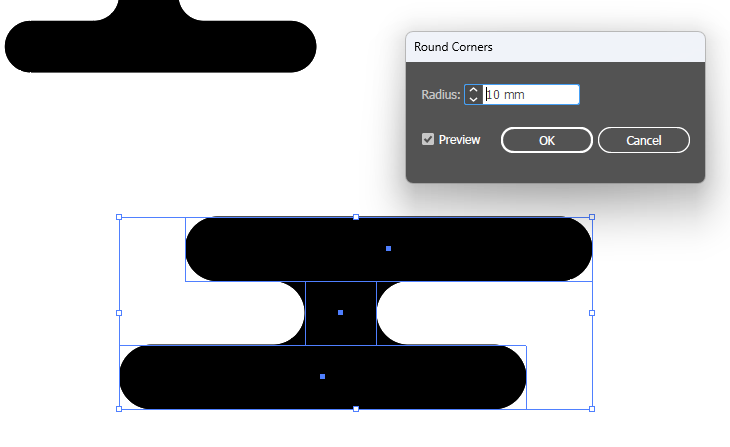
The advantage of using this method is that when you move or adjust the rectangle shapes, the rounded corners will automatically update while maintaining the same smooth, rounded effect.